Import FGate
Users add FGate to FGateManager and remotely manage FGate and devices through FGateManager.
Operation steps:
1.Click icon in the [Auxiliary function] area, select "Add ".
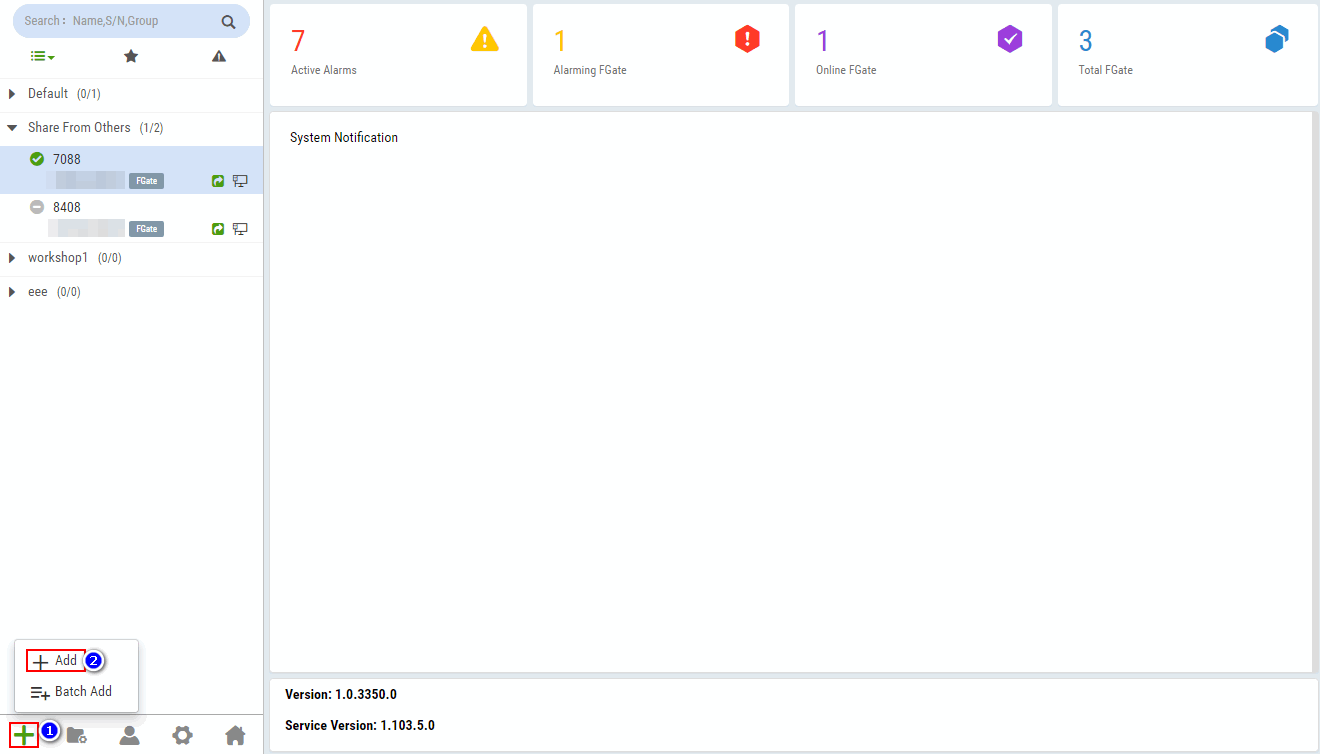
2.Configure the S/N, password, alias, select group in the [Add FGate] dialog box, click "OK".
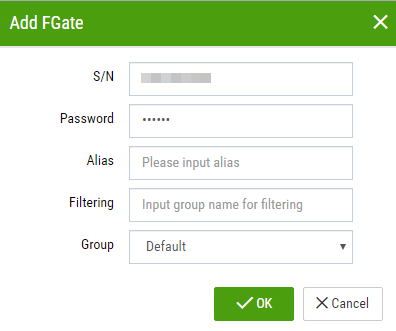
Please refer to the table below for detailed configuration method.
| Parameter | Description |
|---|---|
| S/N | Serial number of FGate, please refer to FGate device label. |
| Password | FGate password, please refer to FGate device label. |
| Alias | User-defined. Used to identify FGate. |
| Filtering | Enter keywords for fuzzy search group. |
| Group | Select the group in the drop-down list to categorize and manage FGate(For FGate grouping steps, please refer to Group Management). |